Why Reverse Tax Results Differ by One Cent
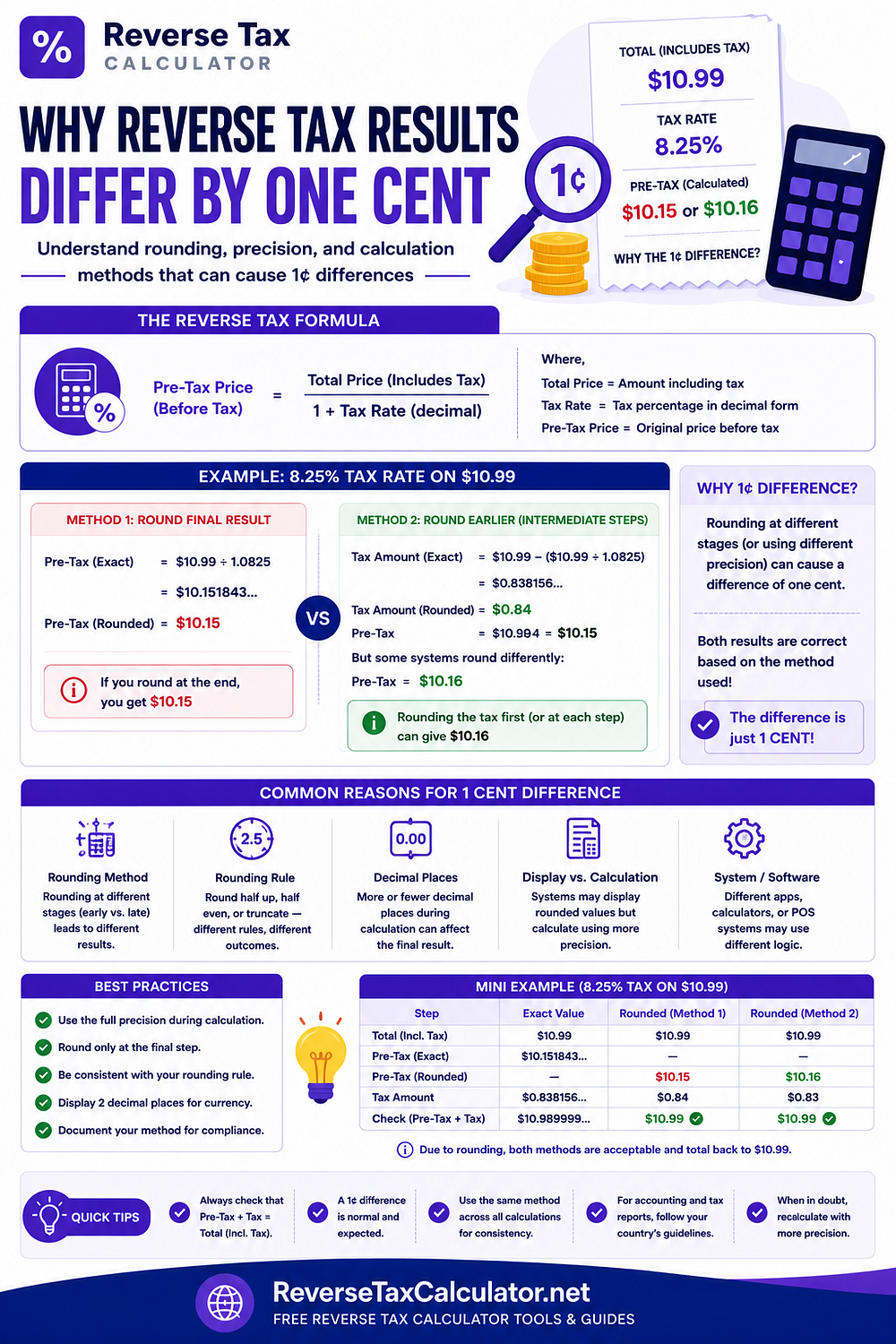
Have you ever entered the same tax-inclusive price into two different calculators and noticed that one shows a tax amount that's just one cent different?
It can be frustrating, especially when you're trying to reconcile invoices, receipts, or accounting records. Fortunately, this tiny difference is usually normal and comes down to how numbers are rounded during calculations.
For a detailed explanation and more examples, read the complete guide: Why Reverse Tax Results Differ by One Cent
Why Does a One-Cent Difference Happen?
Reverse tax calculations often produce numbers with many decimal places.
For example:
Total price: $108.00
Tax rate: 8%
Calculation:
Pre-tax price = $108.00 ÷ 1.08
The actual result contains more decimal places than most receipts display.
Eventually, software has to round the value to two decimal places because currencies generally use cents.
Different software may round:
During each calculation step
Only at the final result
Individual line items
The invoice total
These different approaches can produce a one-cent difference.
Common Reasons
A one-cent variation is commonly caused by:
Different rounding methods
Line-by-line calculations
Invoice-level calculations
Decimal precision
Spreadsheet formulas
POS systems
Accounting software settings
None of these automatically indicate an incorrect tax calculation.
Example
Suppose a customer paid:
Total: $250.00
Tax rate: 7.25%
The calculated pre-tax amount contains several decimal places.
One calculator may round immediately.
Another may keep additional decimal places until the end.
Both methods are mathematically valid, yet the final tax amount may differ by one cent.
Should You Be Concerned?
Usually not.
Many accounting systems include small rounding adjustments so invoices remain balanced.
The important thing is consistency.
Businesses should use the same rounding method throughout their accounting process rather than switching between different methods.
Best Practices
To minimize small differences:
Use one calculator consistently.
Keep the same rounding policy.
Avoid manually editing calculated values.
Reconcile invoices using the same calculation method.
Preserve original invoice values.
Make Reverse Tax Calculations Easier
Instead of performing manual calculations every time, use the free Reverse Tax Calculator to quickly determine:
Price before tax
Tax amount
Tax-inclusive total
Calculation breakdown
Use the calculator here: Reverse Tax Calculator
This article was originally published on Reverse Tax Calculator
Comments
Post a Comment